

Prerequisites
- A Webcompute API key with the
wc_key_prefix. - A model profile or provider key for
web agent. - A shell with
curl.
API keys and provider keys are credentials. Do not paste real keys into prompts, source control, issue trackers, or shared transcripts.
Install Webcompute
Sign in
web login stores your Webcompute API key for CLI and MCP use. SDK code can also use WEBCOMPUTE_API_KEY.
Configure a model
Run the interactive setup:--profile browsing.
You can also pass model access for one command:
Run your first web agent
sec.gov, browses the public filing search, and returns a short result.
A successful run prints a final answer with filing metadata. The exact filing date and accession number depend on the live SEC site.
What happened
The CLI agent path is a complete surface for standalone workflows and operator tasks. It uses the same managed browser runtime as the SDK, MCP, REST, and CDP surfaces. During the run, Webcompute can produce:- A final answer for humans.
- JSON output when you use
--jsonor--schema. - A browser ID and signed Debug UI URL while the CLI run is active when you opt into
--debug-url. - Bounded observations and step summaries.
- Status, events, recordings, files, downloads, and artifacts when the workflow creates them.
web.agent(), run through MCP, or add advanced exact browser control.
Get machine-readable output
Use--json when another program will read the result:
--schema ./filings.schema.json when the run must return a validated JSON shape.
The JSON envelope includes the run status, final text, structured output when requested, browser metadata when available, and redacted errors when the run fails. See results and evidence for the surface-by-surface shapes.
Inspect the run
Use--debug-url only when you intentionally want a signed live-browser link in the result:
Debug UI URLs are signed bearer capabilities. Share them only with people or systems that should control the live browser.
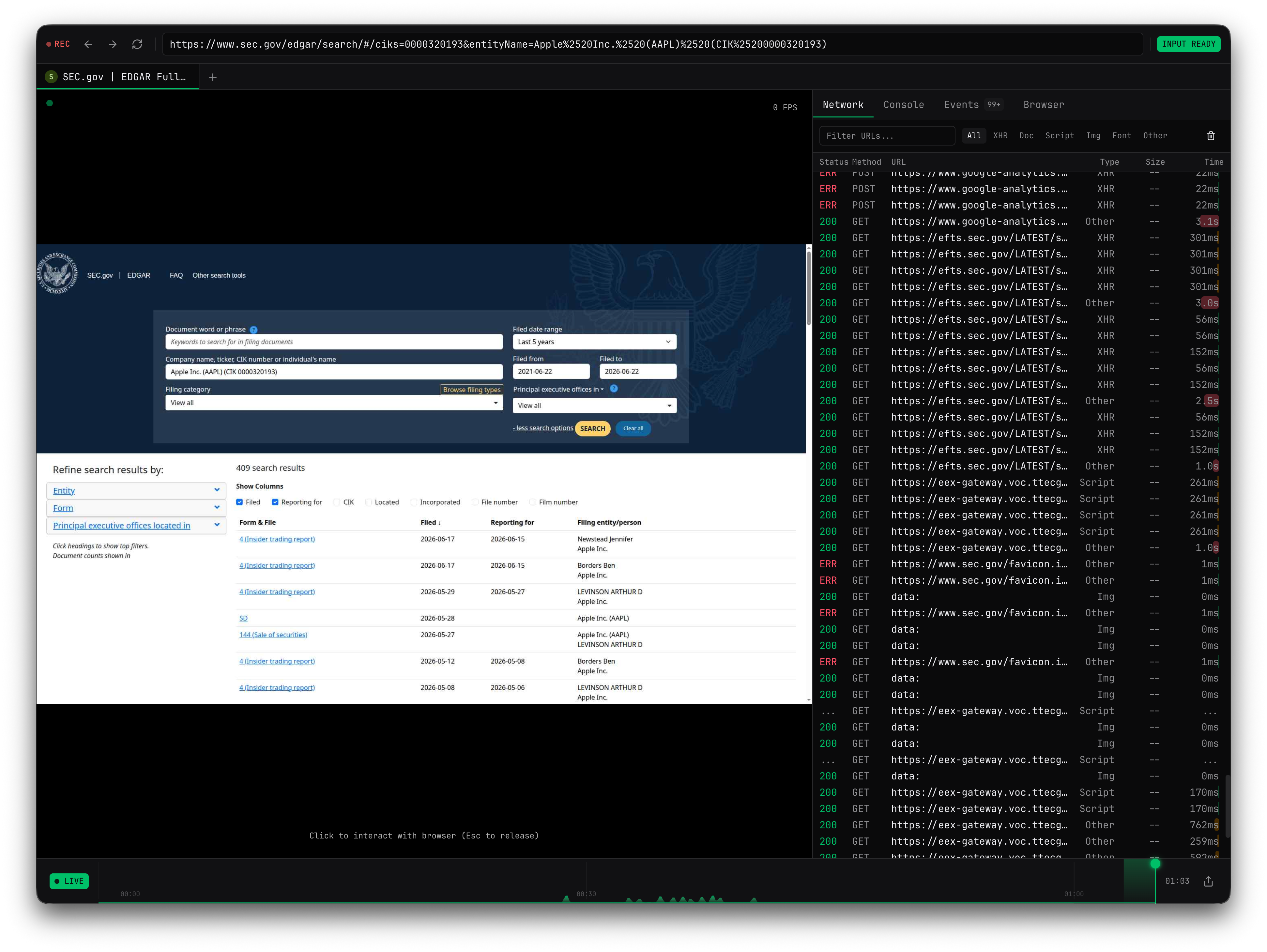
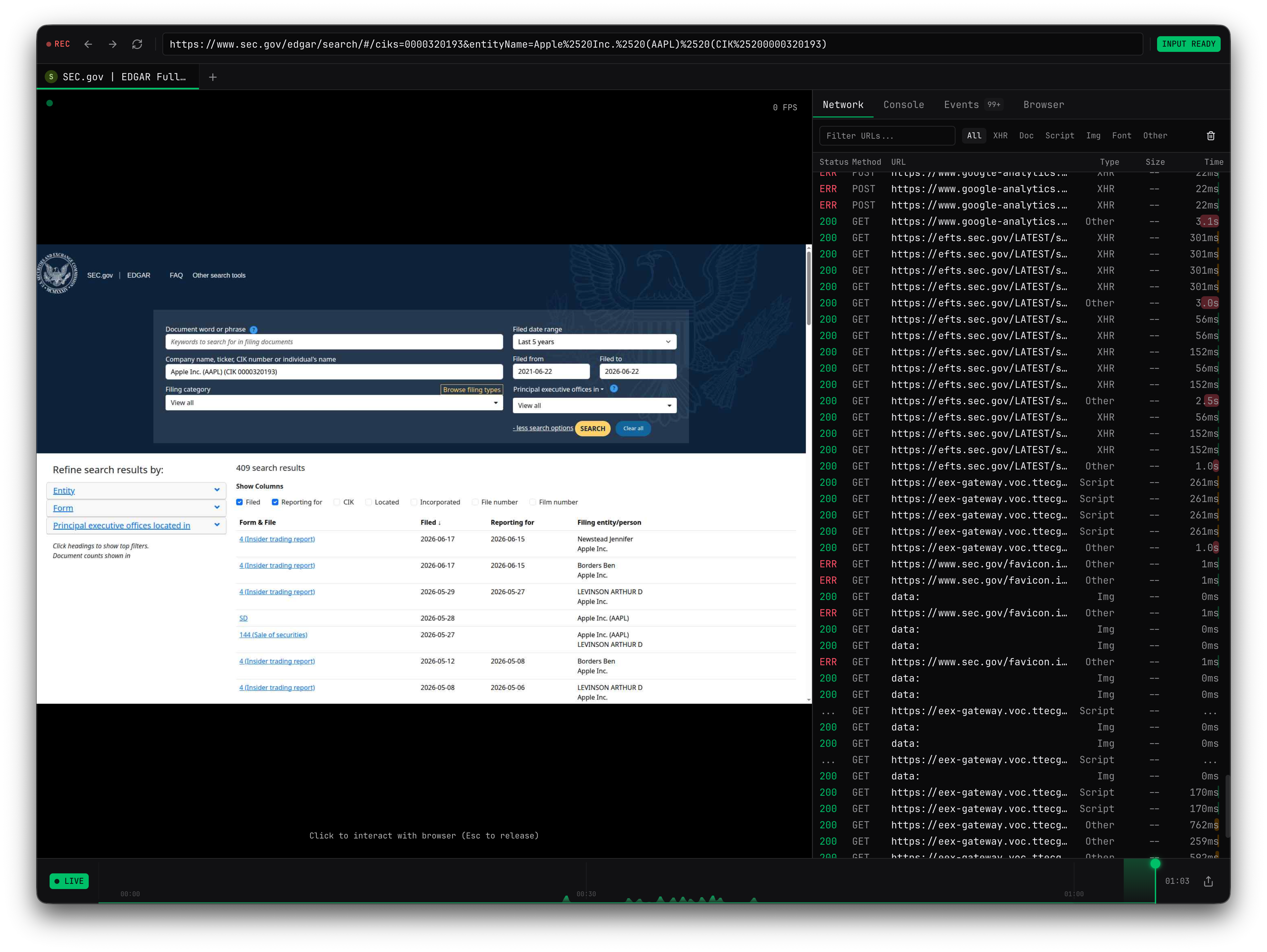
web agent run closes browsers it creates after completion. Use SDK browser creation or SDK web.agent() with recording when your workflow needs longer inspection or durable replay evidence.
If the quickstart does not finish
Next steps
Choose your path
Decide whether to use CLI agent, SDK agent, MCP, REST, CDP, quick actions, or advanced exact control.
Review results and evidence
Learn what the CLI, SDK, MCP, REST, and quick actions return.
Run tasks with web agent
Learn model profiles, domain boundaries, schemas, secrets, approvals, and live inspection.
Try a richer task
Run an agentic workflow with fields, boundaries, JSON output, and blocker guidance.
Build with the SDK
Build agentic workflows into applications, backend services, and recurring automations.
Inspect and debug
Use live sessions, recordings, status, events, downloads, and errors when a run needs evidence.