> ## Documentation Index
> Fetch the complete documentation index at: https://docs-preview.webcompute.dev/llms.txt
> Use this file to discover all available pages before exploring further.
# Infrastructure for the agentic web
> Create agents and automations that operate real web applications, return inspectable results, and plug into products, internal tools, or recurring jobs.
Use the CLI or SDK to run these workflows directly or build them into software. Webcompute provides managed cloud browsers, agent tooling, observability, and production controls for teams building web automation with AI.
 ## Built for web workflows that need control
Real web applications are runtime environments, not static pages: sessions expire, UI changes, downloads matter, blockers appear, and results often need to become structured data or artifacts.
Webcompute provides the managed browser runtime for that work, plus tools to inspect runs, set boundaries, capture evidence, and integrate results into software. Use the CLI when you want a workflow you can run directly. Use the SDK when it should run inside an application, backend process, or recurring automation.
## Run a workflow from the CLI
```bash theme={null}
web agent \
--url https://www.sec.gov/edgar/search/ \
--allow-domain sec.gov \
"Find Apple's latest 10-Q by filing date. Return filing date, accession number, filing URL, and a one-sentence summary."
```
Example result:
```text theme={null}
Apple Inc. latest 10-Q filing
Form: 10-Q
Filing date:
Accession:
URL: https://www.sec.gov/Archives/...
Summary: ...
Evidence: SEC EDGAR company filing page
```
## From first run to working system
Use `web agent` when you want a standalone workflow from the terminal with a model profile, starting URL, and domain boundary.
Use SDK `web.agent()` when the workflow belongs in an application feature, backend process, or recurring automation.
Use managed browser resources for policy, approvals, secrets, structured output, files, downloads, recordings, and recovery paths.
Use Debug UI, recordings, status, events, artifacts, and blocker signals to understand each run and decide the next action.
Use browser-code execution, REST, or CDP when a specific browser step or integration boundary must be deterministic.
Install Webcompute, configure a model, and run an inspectable workflow from the terminal.
Create agentic workflows inside applications, backend services, and recurring automations.
Combine model-driven browser work with explicit resources, validation, and recovery logic.
Inspect live browsers, recordings, artifacts, status, blockers, and errors.
## What Webcompute provides
* Managed cloud browsers for agentic workflows over real web applications.
* Agent tooling across CLI, SDK, and MCP for direct runs, application features, and recurring automations.
* Production controls for policy, approvals, secrets, structured output, files, downloads, and recovery.
* Observability through Debug UI, status, events, recordings, artifacts, and blocker signals.
* Integration surfaces for CLI, SDK, MCP, REST, CDP, and quick actions.
## Inspectable by default
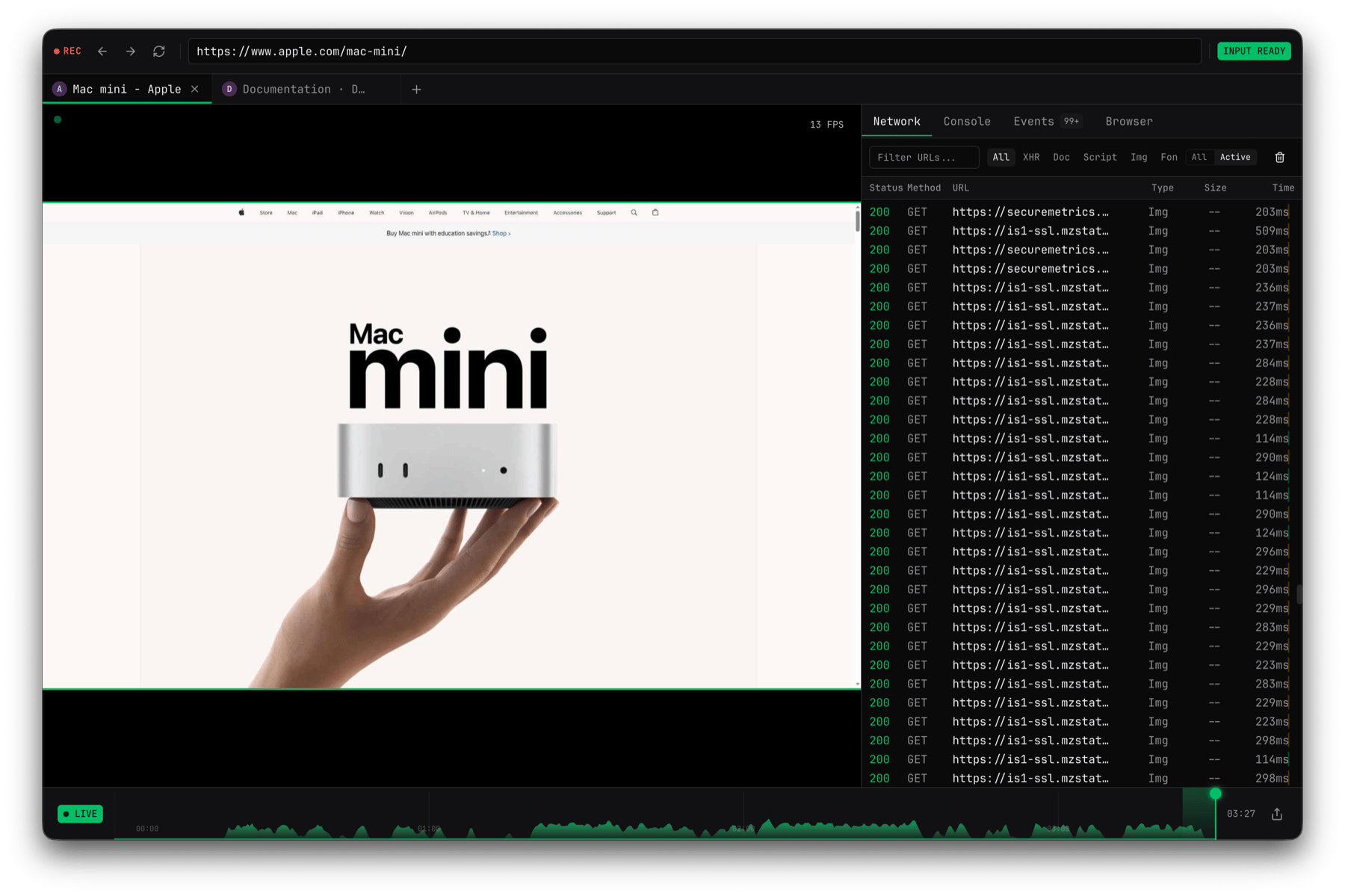
Agentic web workflows should not disappear into a black box. Webcompute gives each run a managed browser, live status, events, recordings, artifacts, and blocker signals so teams can understand what happened and decide what to do next.
## Built for web workflows that need control
Real web applications are runtime environments, not static pages: sessions expire, UI changes, downloads matter, blockers appear, and results often need to become structured data or artifacts.
Webcompute provides the managed browser runtime for that work, plus tools to inspect runs, set boundaries, capture evidence, and integrate results into software. Use the CLI when you want a workflow you can run directly. Use the SDK when it should run inside an application, backend process, or recurring automation.
## Run a workflow from the CLI
```bash theme={null}
web agent \
--url https://www.sec.gov/edgar/search/ \
--allow-domain sec.gov \
"Find Apple's latest 10-Q by filing date. Return filing date, accession number, filing URL, and a one-sentence summary."
```
Example result:
```text theme={null}
Apple Inc. latest 10-Q filing
Form: 10-Q
Filing date:
Accession:
URL: https://www.sec.gov/Archives/...
Summary: ...
Evidence: SEC EDGAR company filing page
```
## From first run to working system
Use `web agent` when you want a standalone workflow from the terminal with a model profile, starting URL, and domain boundary.
Use SDK `web.agent()` when the workflow belongs in an application feature, backend process, or recurring automation.
Use managed browser resources for policy, approvals, secrets, structured output, files, downloads, recordings, and recovery paths.
Use Debug UI, recordings, status, events, artifacts, and blocker signals to understand each run and decide the next action.
Use browser-code execution, REST, or CDP when a specific browser step or integration boundary must be deterministic.
Install Webcompute, configure a model, and run an inspectable workflow from the terminal.
Create agentic workflows inside applications, backend services, and recurring automations.
Combine model-driven browser work with explicit resources, validation, and recovery logic.
Inspect live browsers, recordings, artifacts, status, blockers, and errors.
## What Webcompute provides
* Managed cloud browsers for agentic workflows over real web applications.
* Agent tooling across CLI, SDK, and MCP for direct runs, application features, and recurring automations.
* Production controls for policy, approvals, secrets, structured output, files, downloads, and recovery.
* Observability through Debug UI, status, events, recordings, artifacts, and blocker signals.
* Integration surfaces for CLI, SDK, MCP, REST, CDP, and quick actions.
## Inspectable by default
Agentic web workflows should not disappear into a black box. Webcompute gives each run a managed browser, live status, events, recordings, artifacts, and blocker signals so teams can understand what happened and decide what to do next.
 Use `web agent` or SDK `web.agent()` when a configured model should decide the browser steps.
Use direct Playwright control when your app or coding agent should own deterministic browser steps.
Use Debug UI, recordings, observations, status, events, files, downloads, and screenshots to understand the run.
Add policy, approvals, secrets, retries, timeouts, resource handling, and cleanup as the workflow moves toward production.
Use Debug UI for live review, recordings for replay, and artifacts or downloads when the workflow produces files or evidence.
## Start building
Start with the surface that matches how the workflow should run. The CLI is the shortest path to a direct agentic workflow. The SDK is the path for applications, backend services, and recurring automations.
* [Quickstart](/quickstart)
* [SDK quickstart](/agent-workflows/sdk-quickstart)
Use `web agent` or SDK `web.agent()` when a configured model should decide the browser steps.
Use direct Playwright control when your app or coding agent should own deterministic browser steps.
Use Debug UI, recordings, observations, status, events, files, downloads, and screenshots to understand the run.
Add policy, approvals, secrets, retries, timeouts, resource handling, and cleanup as the workflow moves toward production.
Use Debug UI for live review, recordings for replay, and artifacts or downloads when the workflow produces files or evidence.
## Start building
Start with the surface that matches how the workflow should run. The CLI is the shortest path to a direct agentic workflow. The SDK is the path for applications, backend services, and recurring automations.
* [Quickstart](/quickstart)
* [SDK quickstart](/agent-workflows/sdk-quickstart)